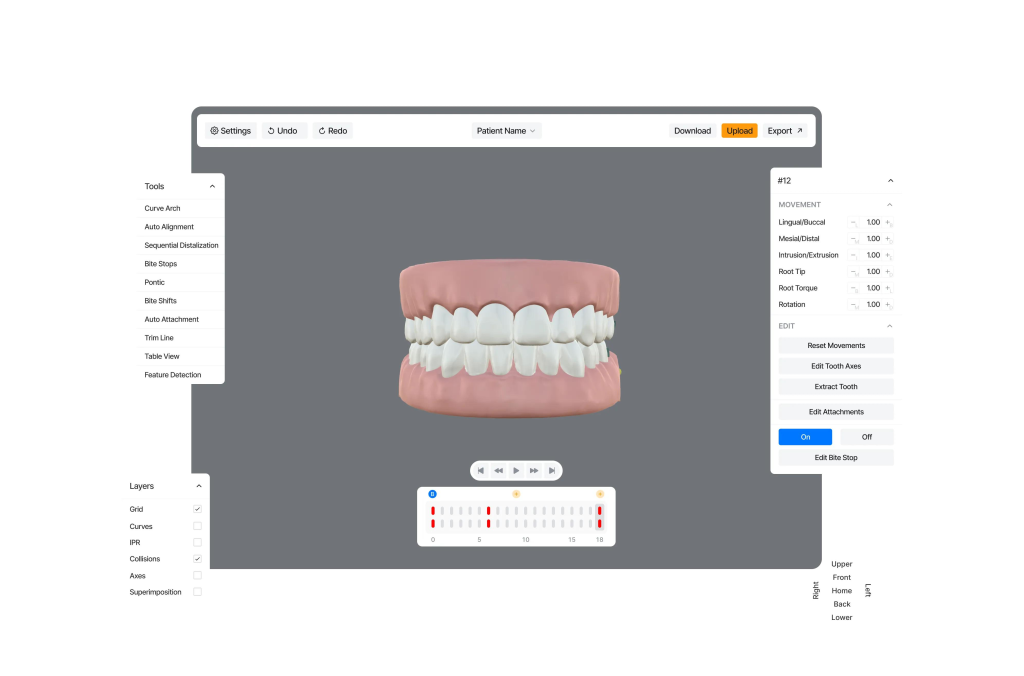
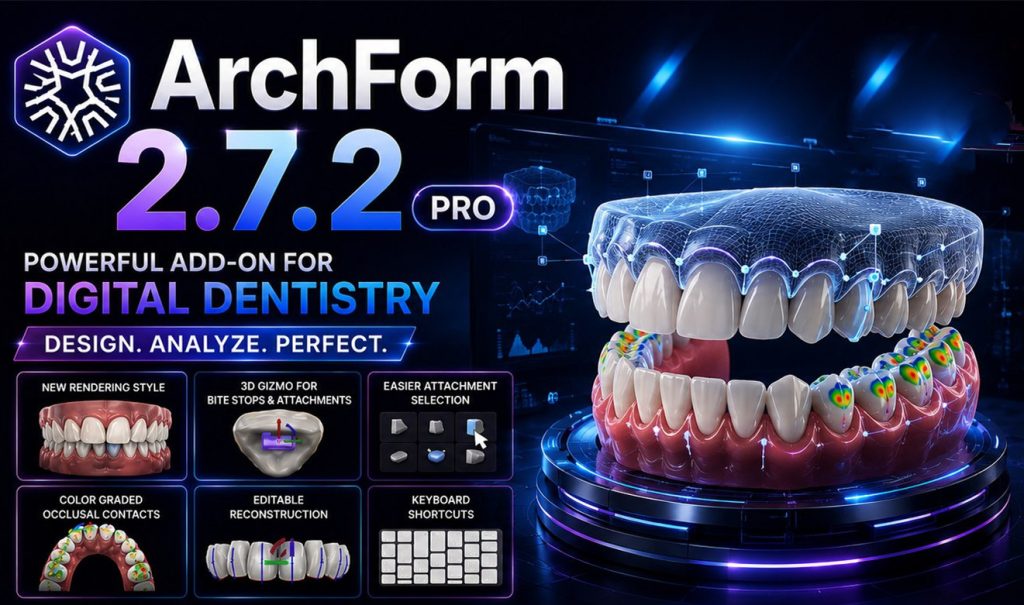
ArchForm is a mainstream digital orthodontic invisible orthodontic (transparent braces) design software abroad, aimed at orthodontists and dental technology institutes. It is used for oral scan model processing, virtual tooth arrangement, orthodontic plan design, attachment/traction hook design, and outputting 3D printed model files. 2.7.2 PRO is the professional version, and CBCT Auto Segmentation is an advanced module of PRO that supports AI analysis of cone beam CT data. It combines oral scanning of dental crowns and CBCT tooth roots to create a complete 3D model of teeth.
⚠️ Tip: This software is a professional medical software and is only used for designing clinical plans for dentists/technicians; The cracked version circulating online does not comply with medical regulations and is not recommended for real patient diagnosis and treatment.
Basic positioning
Software type: Digital invisible orthodontic solution design software
Version: 2.7.2 PRO (2026)
Core addition: CBCT Auto Segmentation CBCT Artificial Intelligence Automatic Segmentation Module
Operating platform: Windows 10/11 (mainstream), also supports macOS
Input files: Oral scanning STL model, CBCT (DICOM) data; Output STL for 3D printing and denture processing.
Standard version basic functions
Automatic tooth segmentation (oral scan model): Automatically split each tooth, manually adjust the gum edge, handle oral scan noise and excess soft tissue, and use lasso tools to cut excess models of the palate.
Virtual teeth alignment/tooth movement simulation: Three dimensional free movement of teeth (translation, rotation, root control), step-by-step setting of orthodontic stages, simulating the entire orthodontic process.
Attachment/Traction Hook Design: Customize the shape, size, and angle of attachments; Design traction hooks and cutting positions, support setting the amount of glaze removal on adjacent surfaces of IPR.
Model trimming and base generation: Automatically generate a model base that can be directly 3D printed, export STL with one click, and use it for printing dental models and making invisible braces with pressure film.
Case Management Panel: Manage patient cases, compare protocol versions, export protocol reports for patient communication.
✨ PRO version core: CBCT Auto Segmentation CBCT automatic segmentation module
This is the 2.7.2 PRO Key Advanced Ability, which is not available in the regular version:
Importing CBCT DICOM, AI automatically segments anatomical structures such as tooth roots, maxilla, mandible, mandibular nerve canal, maxillary sinus, airway, etc.
Automatic registration and fusion of oral scanning STL dental crown and CBCT tooth root: high-precision dental crown is scanned and connected to the real tooth root extracted by CBCT to obtain a complete three-dimensional tooth model of the dental crown and root.
Virtual orthodontic movement with tooth roots: no longer just simulating the crown, the direction of tooth root movement can be seen, and the risk of tooth root resorption and bone wall thickness can be evaluated, which has more reference value for buried teeth and complex cases.
It can measure bone thickness, root angle, and nerve tube distance to assist in diagnosis.
The segmentation results support manual correction, and when the AI results are not ideal, the boundaries of the tooth roots and bone tissues can be manually edited.
Target Audience
Orthodontic Clinic: Independently design invisible orthodontic treatment plans within the hospital, 3D print dental braces within the hospital, without outsourcing processing factories.
Dental Technology Institute: Batch processing of invisible orthodontic cases.
Orthodontist: For complex cases, it is necessary to evaluate the treatment risk by combining CBCT root information.
Comparison with similar software (similar: OrthoAnalyzer, Nemocast, Maestro3D)
Advantages of ArchForm: easy to learn, high degree of automation, and fast completion speed of cases; The CBCT module is a PRO paid value-added module, and the complete root crown fusion is a major highlight.
Shortcoming: The cephalometric measurement function is weaker than professional cephalometric software; Complex skeletal cases still require collaboration with other software.
Brief Work Process
Import and scan STL models; PRO can additionally import CBCT DICOM data.
CBCT automatic segmentation module runs AI to segment tooth roots and jawbones; Oral scanning model for tooth segmentation.
Oral scanning of dental crowns and automatic alignment and fusion of CBCT tooth roots.
Set orthodontic goals, virtually move teeth, set orthodontic steps, attachments IPR。
Preview the entire treatment process and fine tune the position of the tooth root.
Export STL models for each step, used for 3D printing and laminating production of invisible braces.
Important Notice
CBCT automatic segmentation is an AI assisted tool, and AI results must be manually reviewed by doctors, and cannot be directly used for clinical purposes solely relying on AI segmentation results.
Genuine software requires subscription authorization, and CBCT Auto Segmentation is usually an additional paid module.
The cracked version of the software lacks medical verification, and the segmentation accuracy is uncontrollable. It is strictly prohibited from being used in real patient clinical practice.
If you need, I can help you organize a reference list for ArchForm 2.7.2 PRO hardware configuration.